Help with Gunfighter IV MCGU mini-sticks please
Posted: Fri Oct 03, 2025 10:48
Need help with the mini-sticks in my Gunfighter IV please. This is a software issue that I have mucked up btw, not a mechanical failure. I use the GF mostly for MSFS 2020 and 2024, and I had the top centre mini stick bound in camera settings to look up / down / left / right in both external and internal camera modes.
I was finding an issue where if I moved the mini stick slightly then the view would move slightly as expected, but if I moved the stick to the end of it's travel and held it there, instead of the view panning as far as possible, it would just move back to the central position. If I then let go of the mini stick, the view would partially move towards the direction I was holding it it, but then moved back to centre.
I went looking on here for a software fix and tried various changes to the mini-stick in VKB Devcfg, and I have somehow messed it up. The mini-sticks, both the pointed hat and the dished one are no longer recognised in MSFS, and cannot be bound to the camera settings I want.
In 'Axes' 'Test' in Devcfg, the pointed hat (which is the one I really want to use for this) is recognised as Rot X (left & right) and Rot Y (up & down). However, up & down movement of the ministick moves the test dot as expected, but there is no reaction to left & right movement. The dished hat is recognised as Rot Z and Slider 1, and that does move both test dots as expected. If I press the button of the dished hat, it shows up as button 32. I I press the button of the pointed had, there is no button indicated.
Axes X, Y & Z for pitch, roll & yaw plus Slider 2, the brake lever, all work as expected in MSFS and show up & react correctly in Devcfg.
So, somehow I have messed up the settings for the pointed hat, such that left & right movement is not even recognised in VKB Devcfg, and for both ministicks such that they are not recognised in MSFS and cannot be bound to the camera settings I want. I am guessing I have made their output into a form that MSFS can't use for Look up, down, left & right.
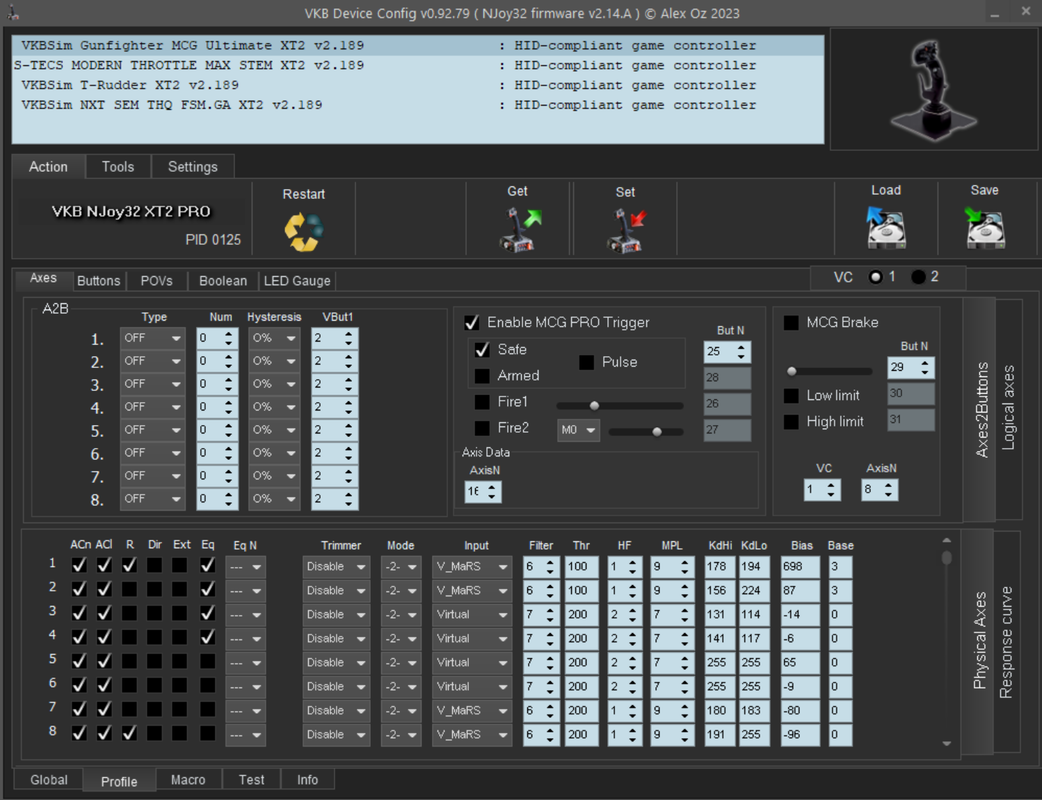
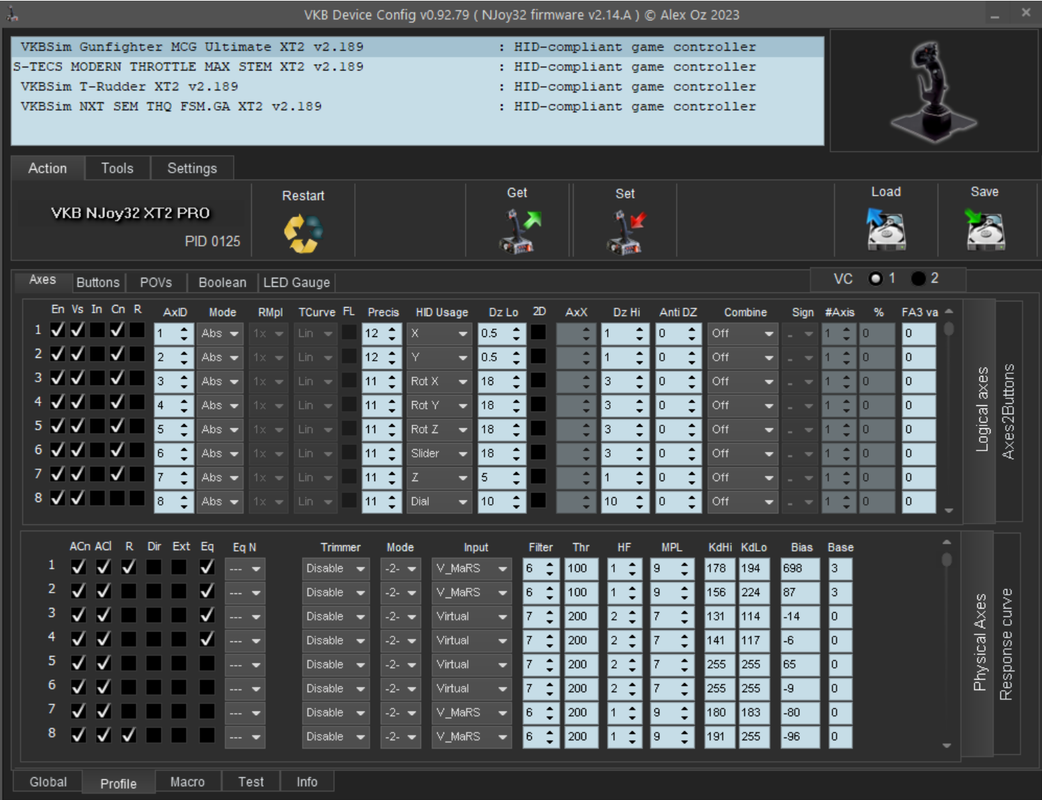
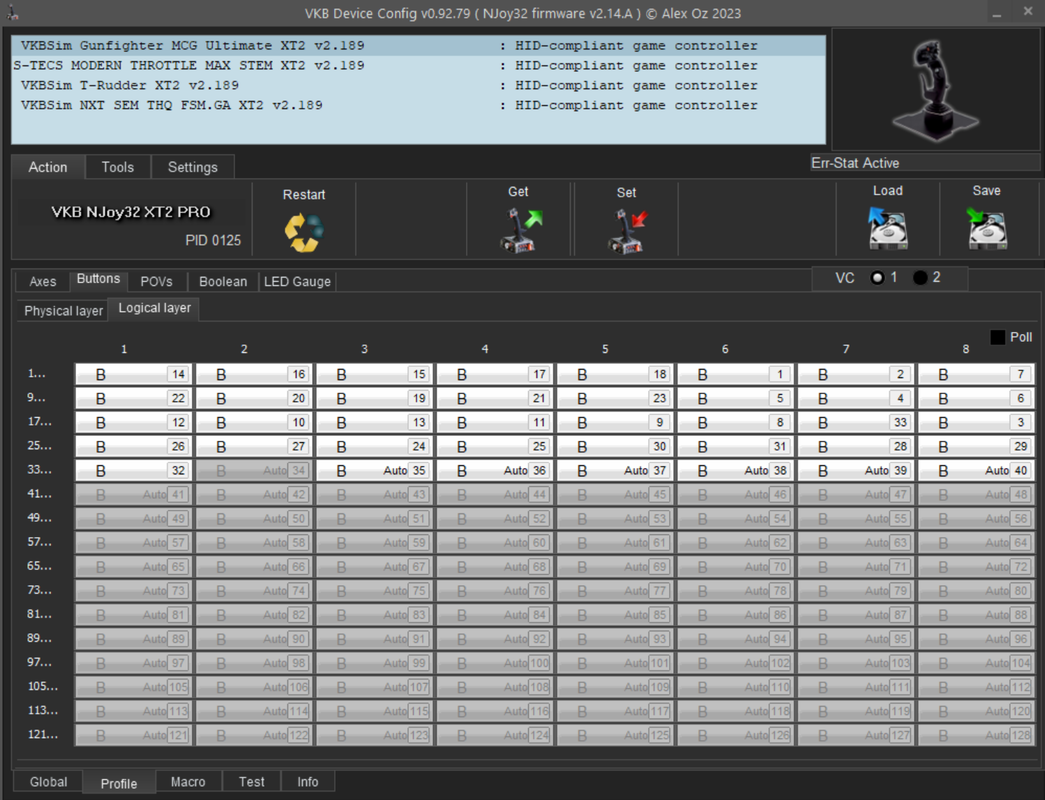
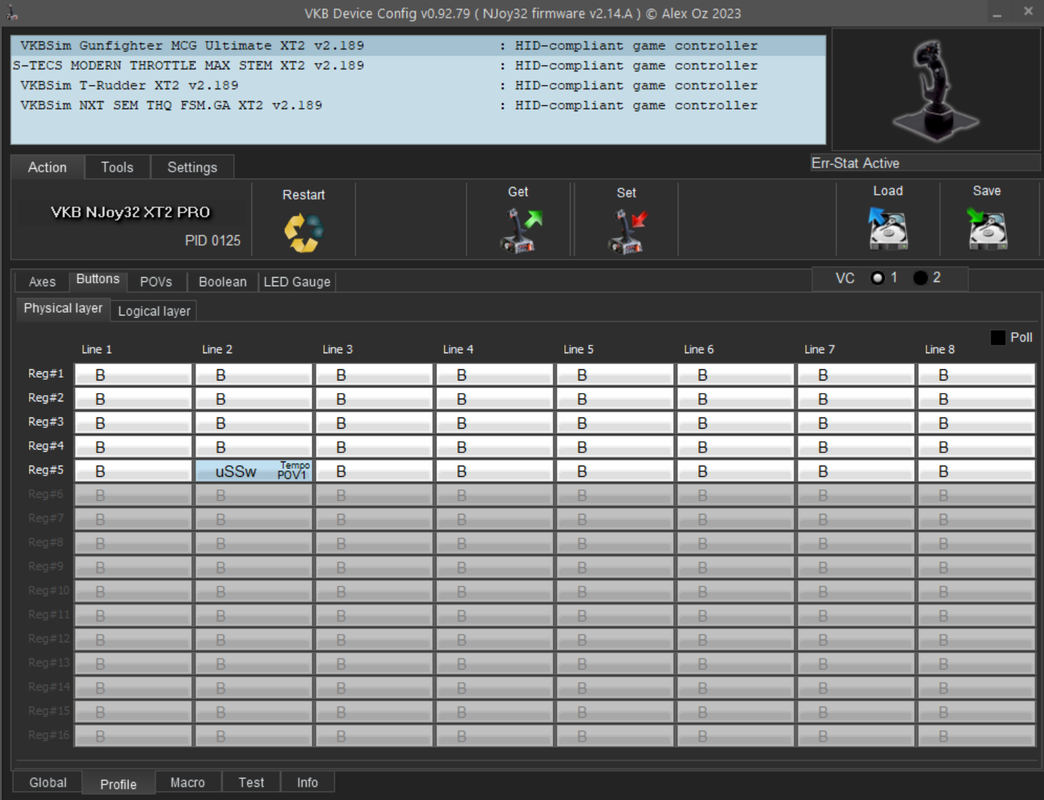
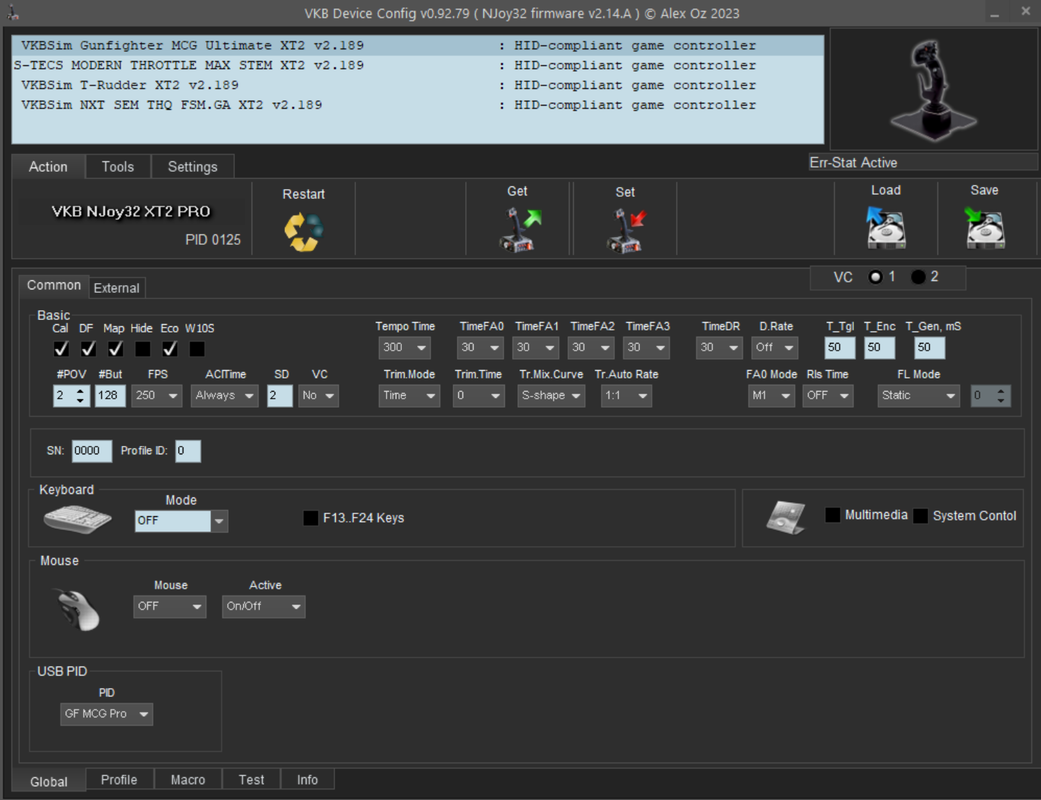
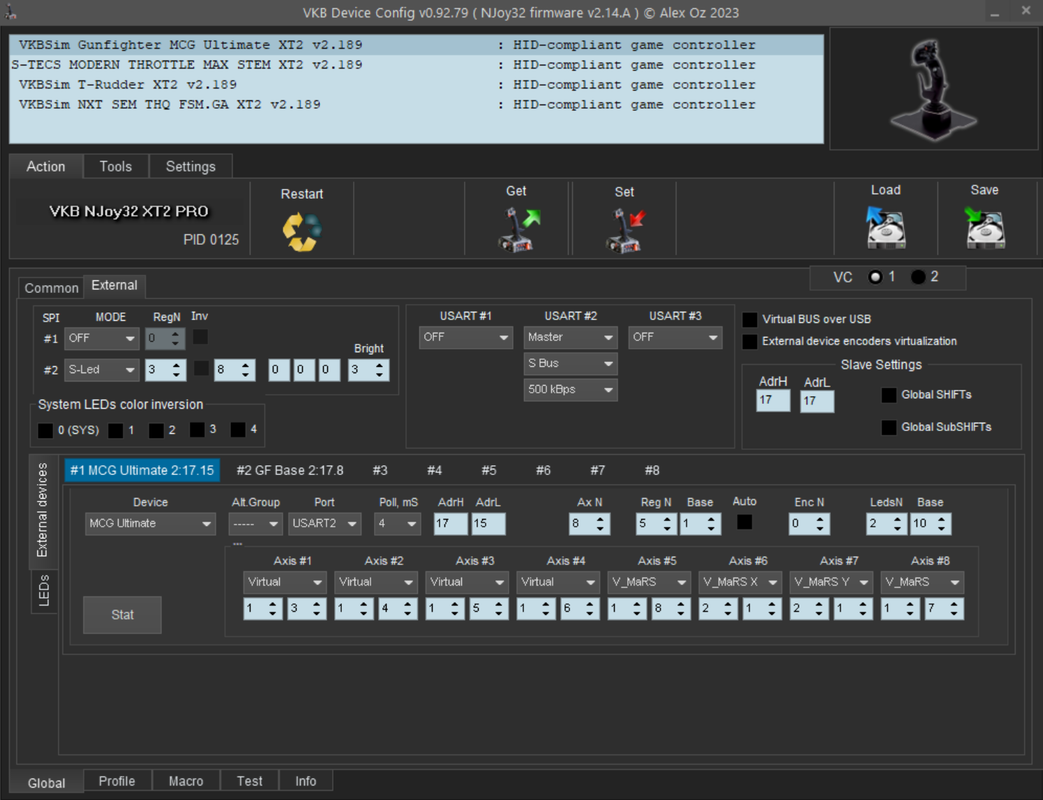
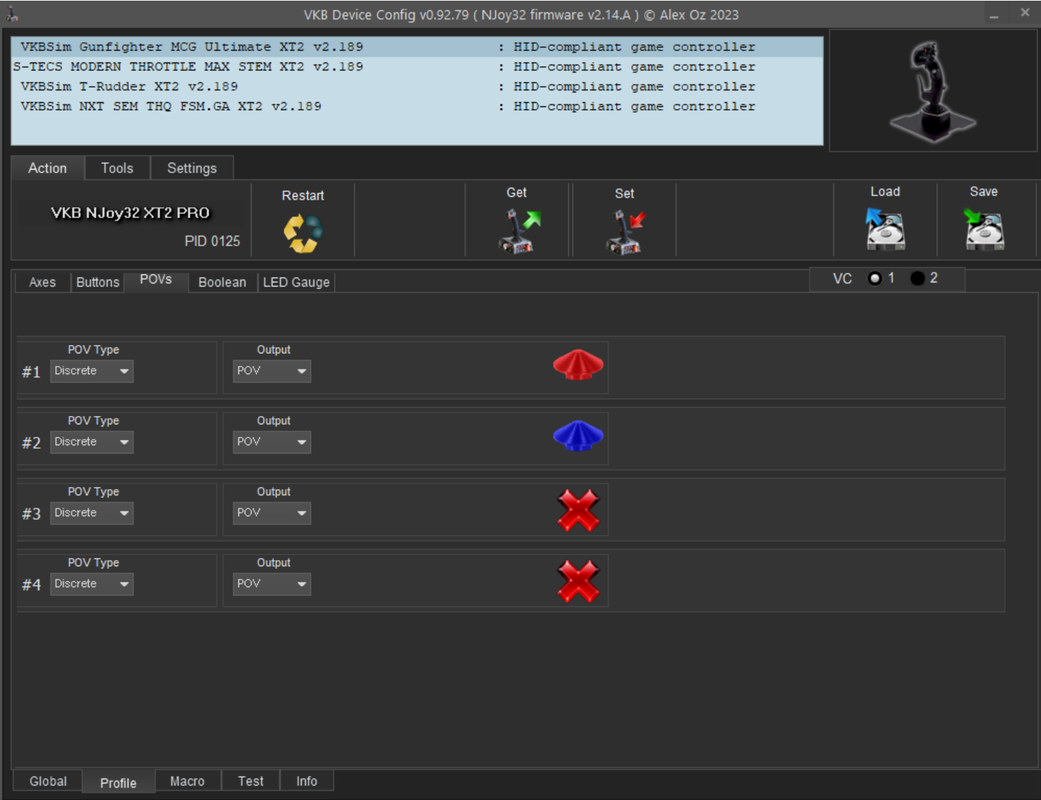
Here are all the relevant settings I think:

If anyone could help & suggest where I've gone wrong and what to reset, I'd be very grateful! If there is a reset to factory option I may try that if all else fails, I would just need to set the curves up again, which isn't an issue.
I was finding an issue where if I moved the mini stick slightly then the view would move slightly as expected, but if I moved the stick to the end of it's travel and held it there, instead of the view panning as far as possible, it would just move back to the central position. If I then let go of the mini stick, the view would partially move towards the direction I was holding it it, but then moved back to centre.
I went looking on here for a software fix and tried various changes to the mini-stick in VKB Devcfg, and I have somehow messed it up. The mini-sticks, both the pointed hat and the dished one are no longer recognised in MSFS, and cannot be bound to the camera settings I want.
In 'Axes' 'Test' in Devcfg, the pointed hat (which is the one I really want to use for this) is recognised as Rot X (left & right) and Rot Y (up & down). However, up & down movement of the ministick moves the test dot as expected, but there is no reaction to left & right movement. The dished hat is recognised as Rot Z and Slider 1, and that does move both test dots as expected. If I press the button of the dished hat, it shows up as button 32. I I press the button of the pointed had, there is no button indicated.
Axes X, Y & Z for pitch, roll & yaw plus Slider 2, the brake lever, all work as expected in MSFS and show up & react correctly in Devcfg.
So, somehow I have messed up the settings for the pointed hat, such that left & right movement is not even recognised in VKB Devcfg, and for both ministicks such that they are not recognised in MSFS and cannot be bound to the camera settings I want. I am guessing I have made their output into a form that MSFS can't use for Look up, down, left & right.
Here are all the relevant settings I think:
If anyone could help & suggest where I've gone wrong and what to reset, I'd be very grateful! If there is a reset to factory option I may try that if all else fails, I would just need to set the curves up again, which isn't an issue.